My Second Brain Was Everywhere. My AI Couldn’t Get In.
Obsidian didn’t win on features. It won as a second brain: the place your thinking accumulates and stays yours, in plain files you control. And it’s already everywhere I am. Obsidian Sync, or iCloud, or a self-hosted setup keeps the vault mirrored across my laptop, my desktop, my phone. As a place to read and write my own notes, the reach problem was solved years ago.
What changed is how I use it. A second brain used to be a one-way dump. A thought shows up, I drop it into my notes raw, promise to tidy it later, never do. The notes fills with fragments I have to clean up before they’re worth anything. Now the thought goes to Claude first. I think it through in the conversation, the agent helps me sharpen it, and the version that reaches the notes is already clean. The AI slid in between me and my notes and became the way I write to them. I don’t dump into my second brain anymore. I dump into Claude, and Claude files the refined result.
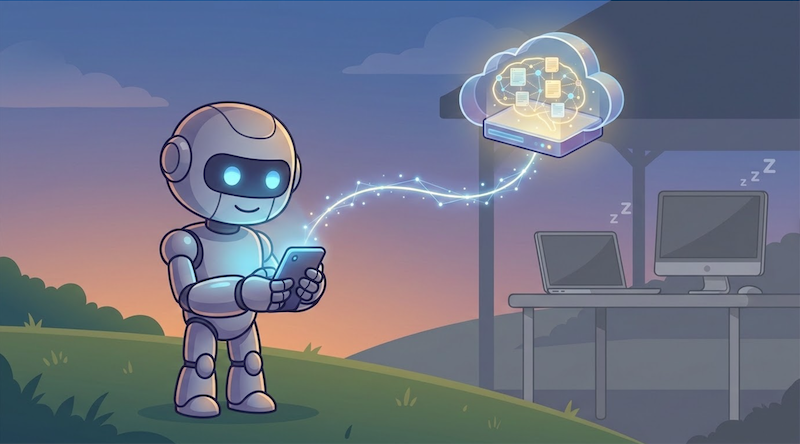
At my desk this mostly works. The vault files sit right there on disk, and you can wire a local tool to read them. But that’s not where the thinking happens. The ideas show up when I’m away from the machine: walking somewhere, on a train, halfway through a book. In those moments Claude is on my phone and my whole vault is synced to the same phone, two apps an inch apart, and they have no way to reach across to each other.
So I went looking for a way to give the AI access from anywhere I am. There were a couple of options, but all came down to the same deal: leave your laptop always-on. That works, technically. It also makes your second brain hostage to whether you remembered to leave a computer on. I wanted it to work with every device off. Nothing did. So I built it a few months ago, and I’ve used it every day since.
Why the AI couldn’t get in
The sync tools all keep your vault for you. They move notes between your own devices and stop there. None of them is something an outside agent can read from.
Obsidian Sync is a closed, end-to-end pipe between copies of Obsidian. There’s no API to reach into it from anywhere else. iCloud is a file-sync layer between your Apple devices; Claude on the web has no path into it at all. The Local REST API plugin does expose an HTTP endpoint, but only while Obsidian is running, on a machine that’s awake and reachable. Every option is either a sealed box or needs a device of mine on.
Self-hosted LiveSync is the exception, and the reason is that it’s open source. The community plugin, 600k+ downloads, syncs your vault into a CouchDB database that you own and control, in a documented format that its own shared library can read and write. That’s not a sealed pipe. It’s a database with a door. And because the database is yours, you decide where it runs: locally on your own machine if that’s all you need, or on any always-on host you point it at, including a Fly.io box that costs close to nothing. Put it somewhere that stays up and your notes are reachable no matter which of your devices are asleep, chunked and end-to-end encrypted. Everything an agent would need was sitting in place. The one missing piece was the thing that lets the agent in.
The build
Obsidian Sync MCP gives any AI agent read and write access to your vault. It runs in one of two modes.
Filesystem mode reads .md files straight from the vault folder. Simple, no database, but the machine has to be on. CouchDB mode reads and writes the database that LiveSync syncs to, which is what lets the vault answer with every one of your devices off.
CouchDB mode is the one that fixed my problem, and it’s the harder one to get right. LiveSync doesn’t store plain Markdown. It stores documents split into content-addressed chunks, optionally encrypted, optionally with obfuscated file paths. To read or write a note that the plugin will accept, you have to speak that format exactly. Rather than reverse-engineer it, the server imports livesync-commonlib, the same library that powers the plugin. What the MCP server writes, the plugin reads, because underneath they’re running the same code.
Both modes expose the same MCP tools over HTTP, so any MCP-compatible agent connects: Claude on desktop, web, or mobile, Copilot, custom agents, anything that speaks the protocol.
(phone)"] -->|"MCP / HTTP"| MCP["⚙️ obsidian-sync-mcp"] MCP -->|"read / write
chunks + E2EE"| DB["☁️ CouchDB"] LAPTOP["💤 Laptop
(asleep)"] -.->|"LiveSync
when awake"| DB subgraph cloud ["Always-on server"] MCP DB end style PHONE fill:#2d1b69,stroke:#b794f4,stroke-width:2px,color:#fff style MCP fill:#4a1942,stroke:#f687b3,stroke-width:2px,color:#fff style DB fill:#1a365d,stroke:#63b3ed,stroke-width:2px,color:#fff style LAPTOP fill:#2a2a2a,stroke:#666,stroke-width:1px,color:#888
I run mine on Fly.io, the MCP server and CouchDB sharing one small box. It’s less than $5/month, which Fly.io doesn’t collect as of today. Getting there is one command: a setup script that deploys either the MCP server on its own, next to a CouchDB you already have, or CouchDB and the MCP server together from scratch. It generates the credentials and wires them up as it goes, so the whole thing is a few prompts rather than an afternoon of config.
Once it’s connected, the agent sees the vault as a set of tools.
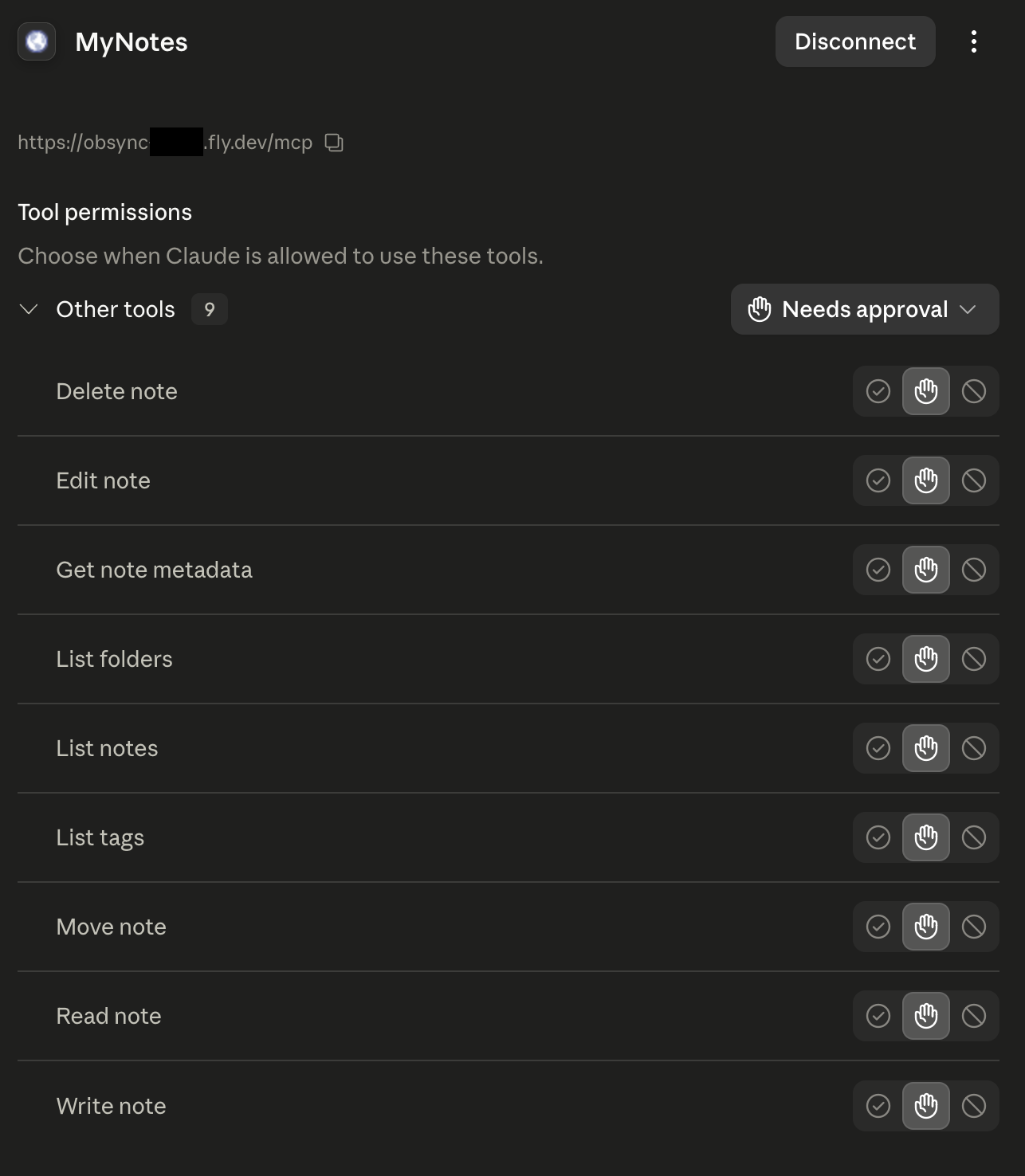
That “needs approval” column matters: every read and every write waits for me to say yes. It’s the first line of defense for handing an agent the keys to your notes.
How I actually use it
Most days it starts on my phone. A half-formed thought goes into the chat while it’s still fresh, the agent and I knock it into shape, and only the cleaned-up version gets written to a note. The messy thinking stays in the conversation. The vault gets the result, waiting in Obsidian the next time I open the laptop, which never had to be on for any of it.
The same move works for anything worth keeping. A technical back-and-forth, a debugging session, a decision I argued myself through: instead of letting it scroll out of a chat window forever, I have the agent write it into a note in a clean, readable format. That quietly turns the vault into shared memory between agents. A thread I had with Claude on the web becomes context I can hand to Claude in VS Code, not by replaying the session but by pointing the next agent at the note. cc-tap bridges live sessions; this is the structural version, where the durable artifact does the handoff and survives every session that touched it.
Books are their own habit, and the richest use of all of this. I read, then I take the book to Claude. Sometimes it’s just a quote worth keeping. More often it turns into a real conversation: a thread I want to pull on, a concept I dig into until it opens onto other writers, the history underneath it, the social questions it runs into. That thinking is worth more than the highlights, so the whole thread gets distilled into notes and tagged as I go. Months later I can ask what I took from a given author, or where a particular idea led me, and it’s there, in their words and mine.
And I stopped doing the bookkeeping. The agent picks the tags and wires up the [[links]], so notes connect to each other without me stopping to think about taxonomy. Tagging and linking was the part of Obsidian I always let rot, the chore that quietly kills a vault. Handing it to the agent is what finally made the graph worth having.
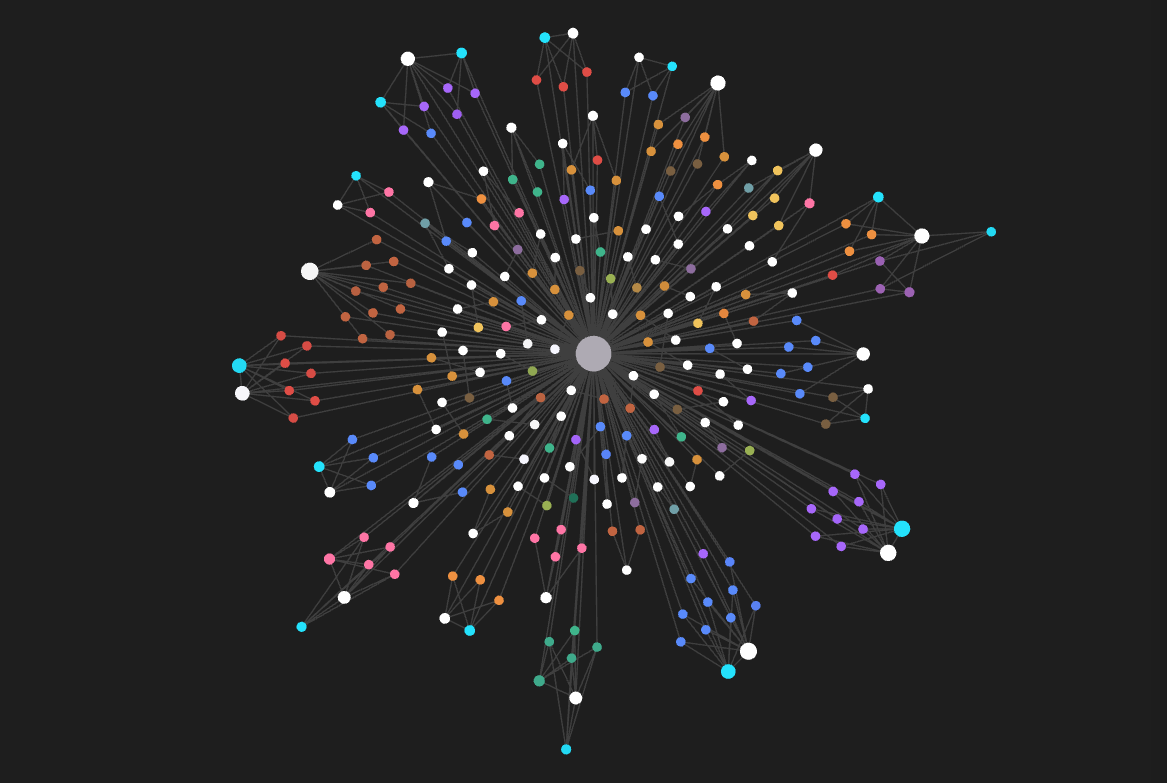
That graph is one example: my entire reading history from Libby, pulled in and filed by the agent through the server. Every book became a note, tagged and linked into the web, and I didn’t place a single connection by hand.
Two settings make me trust it with all of this. MCP_INSTRUCTIONS bakes my vault’s conventions into the server itself: folder structure, naming rules, where daily notes go, which tags exist. Every client follows them without per-app config, and the agent stops guessing where things belong. READ_ONLY exposes only the read tools, so an agent can lean on my vault as context without ever touching it. Both of those started as requests from other people using it, which was the first sign I wasn’t the only one with this gap.
What it is, and what it isn’t
It’s a tool I use every day that other people now use too. It isn’t Obsidian Sync with a support desk. A few honest edges:
- CouchDB mode rides on LiveSync, which is powerful but rough around the edges. The initial setup takes some patience, and the plugin gives you a lot of knobs to get right. The saving grace is that it’s a one-time job: once it’s running, you stop thinking about it.
- One vault per instance. Multiple vaults means multiple servers on different ports.
- Last write wins. If an agent and Obsidian edit the same note at the same instant, there’s no conflict resolution yet. Issue #2 tracks adding
_revchecks for that. - Text only. Binary attachments aren’t exposed.
- You’re giving an agent write access to your second brain. Keep backups, set
MCP_AUTH_TOKEN, use tool approval deliberately, and reach forREAD_ONLYwhen you don’t need writes.
One blunt warning before you point this at a vault you care about. Most of the heavy lifting here is LiveSync’s, and LiveSync can go sideways, especially once E2E encryption is in the mix. A mismatched passphrase or obfuscation setting can fail to sync or mangle notes without a single error message. On top of that, an agent with write access can delete or overwrite the wrong thing in one bad call. So: back up your vault before you connect any of this, keep backing it up, test against a throwaway vault first, and run READ_ONLY whenever you only need reads. This is MIT software provided as-is, with no warranty. I take no responsibility for lost or corrupted notes. Your vault, your risk.
Closing thought
The MCP server is the small part. The real shift is in how we use a second brain at all. It used to be a place you filed things by hand and came back to read. Now we think out loud with an AI, and the worthwhile parts should just settle into the vault on their own. The strange thing is how little had to be built for that. The notes were already in an open database. The agents already spoke a protocol for tools. Nobody had wired the two together.
I connected them because I wanted to drop an idea into a note from a bus and have Claude file it properly. It’s a small project, but it turns out I wasn’t the only one who wanted their notes within reach of an AI, and the handful of people using it have already made it better than I would have alone.
Links
- Obsidian Sync MCP (source): GitHub
- Self-hosted LiveSync: GitHub
- Model Context Protocol: modelcontextprotocol.io